
I Didn’t Learn These 7 Things Early — And That Slowed Me Down
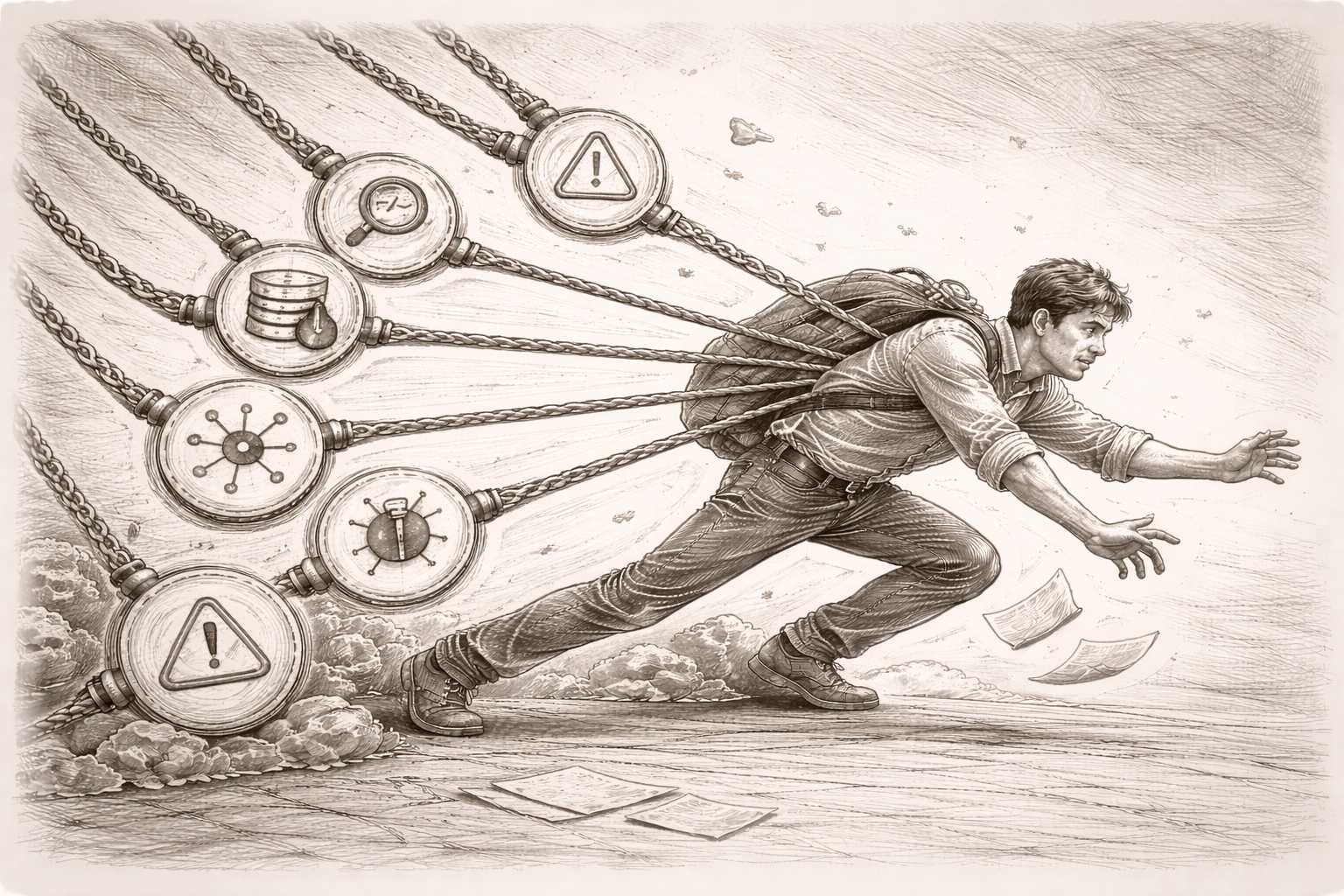
I didn’t ignore these 7 things on purpose. I just didn’t know how much they mattered — until they started showing up in ways that slowed me down, blurred root causes, or made teams second-guess the work. I see them differently now.

📘 This article is part of my series — The True Code of a Complete Engineer.
In 20+ years of tech, I’ve picked up lessons no one really teaches — but they quietly shape how we grow.
I’m sharing the ones I wish someone had told me earlier.
👉 Explore the full series → The True Code Of A Complete Engineer
👋 Intro: What I’ve Noticed Over the Years
Over the years, I’ve seen a pattern — across teams, projects, even different companies.
Good developers write code.
But the ones who grow fast and earn trust?
They notice things others don’t.
They ask:
- What happens after this code is deployed?
- Will I be able to debug this in production?
- Can someone else trace what the user did?
These questions aren’t always taught.
No one hands you a checklist of “real-world” concepts when you start.
You just pick them up — often the hard way — by seeing what breaks, where time is lost, and where confidence is earned.
So this post isn’t a guide.
It’s just me sharing 7 things I wish someone had told me earlier —
because they quietly shaped how I work, how I lead, and how I help teams avoid pain later.
You don’t need to master them all.
But if even one of these makes you pause and think — this post has done its job.
1. 🚦 Code Repository Discipline: Git Isn’t Just a Storage Box
In most teams, Git becomes a silent bottleneck or a silent enabler — and it often depends on how people treat it.
A real case: A teammate once tried to roll back a feature that was causing production issues. But the commit messages were things like:
final fix
bug resolved v3
temp
There was no link to the task, no meaningful PR description, and zero traceability. What should’ve been a 10-minute rollback turned into a 3-hour scramble.
The complete engineer treats Git as a communication tool, not just a versioning tool.
What to think about:
- Are your commit messages meaningful?
- Do you open PRs with context and clarity?
- Are changes atomic and reviewable?
Real habits:
- Use proper prefixes:
Fix:,Feature:,Refactor: - Write PR descriptions like you're explaining it to your future self
- Link commits to tasks, JIRA IDs, or Azure DevOps work items
Suggested tools:
- GitHub / GitLab / Bitbucket
- PR linting tools (e.g., danger.js)
- Conventional Commits (standard commit message format)
2. ⚙️ Deployment Awareness: Know What Actually Happens After You Merge
This one took me some time to learn — and it wasn’t during some training or formal onboarding.
It happened when a junior dev in our team merged a feature that worked perfectly. All tests passed. The code was clean.
But then QA said, “Hey, nothing’s showing up in staging.”
We checked everything. No errors, no failures — and then realized… the staging pipeline needed a manual trigger. No one had told him that. The feature just sat there, undeployed, for two days — silently blocking testers and creating unnecessary confusion.
That’s when it hit me:
Just because code is merged doesn’t mean it’s live.
In many teams, especially growing ones, deployments aren’t always automated.
Sometimes it’s CI/CD.
Sometimes it’s a DevOps team running a script.
Sometimes it’s manual file copy to an IIS folder.
And occasionally… no one really knows unless you ask.
That’s the part I want to highlight.
If you’re working on a feature, don’t just focus on the code.
Try to find out:
- What actually happens after merge?
- Is there a build pipeline?
- Does someone deploy it manually?
- Are there config changes needed?
- How are things rolled back if something breaks?
You don’t need to take over DevOps.
But just knowing the flow gives you a big advantage — especially when something breaks or needs to be debugged.
Even if you're in a setup without pipelines — say, an IIS server with batch files or manual publish — just understanding that path from your code to the live environment makes you far more effective (and respected) in any team.
Quiet career tip:
Engineers who understand deployment flows — even at a high level — are the ones who get called when things feel “stuck.”
And over time, those are the folks people trust more.
3. 🧾 Logging: When Things Break, This Is All You Have
Here’s something I’ve seen across projects — logs are usually treated as an afterthought, until the moment something goes wrong.
One time, a production issue hit a payment system — customers reported failed transactions, and there was a real sense of urgency.
We opened the logs and found this:
[ERROR] Exception occurred.
No user ID. No payment ID. No function name. Nothing that helped.
It turned a 15-minute root cause into a full-blown investigation that wasted hours across dev, QA, and support.
Compare that to another team that handled a similar issue, but had logs like this:
{
  "level": "ERROR",
  "event": "PaymentFailure",
  "userId": "U-1481",
  "paymentId": "TXN-20481",
  "gateway": "Razorpay",
  "error": "Currency mismatch",
  "timestamp": "2024-12-01T14:20:22Z"
}
Same issue. But the clarity was instant.
You could see what happened, to whom, and roughly why — all from one log line.
That single difference changed how quickly they could act.
The mental shift that helped me:
Don’t write logs for yourself in the moment.
Write them for someone who’ll be debugging in panic — maybe three months later. Maybe not even you… or maybe (and most likely), it’s you.
The best logs I’ve seen usually answer:
- What failed?
- Who was impacted?
- What was the context?
When logs do that, they don’t just help developers. They help QA, support, DevOps, auditors — basically everyone who touches the system after you.
And if you're working in .NET, Java, or Node, there are solid tools that make this easier — things like Serilog, NLog, log4net, or Winston.
But the real value doesn’t come from the tool.
It comes from thinking before you log.
What will actually help someone solve the issue?
Small habit, big result:
Start reviewing your logs like you’d review your code:
- Are they consistent?
- Are they too noisy or too quiet?
- Can someone new understand what happened?
You’ll be surprised how much smoother things run — not just in prod, but in your entire team’s ability to respond with confidence.
4. ❌ Failure Behavior: What Happens If Something Goes Wrong?
There was this travel platform that integrated a third-party flight booking API.
Everything worked fine in testing — fast responses, clean results, smooth flow.
Then came a weekend sale. High traffic. The external API started throttling requests due to load.
And on the frontend?
The screen froze. Just a spinner.
No timeout. No fallback. No message to the user.
Bookings dropped. Users left. Nobody knew what was failing — until logs confirmed the API wasn’t even responding.
The code wasn’t broken. But the experience was.
And that’s the part we often miss:
We write for the happy path — and forget that the real world is full of broken ones.
Every system — payment APIs, email providers, database connections — will fail at some point.
The question is: What does your code do when that happens?
A few simple questions I’ve learned to ask myself:
- If this API is slow or times out, what does the user experience?
- Will the app crash, or fail silently?
- Will anyone even know something went wrong?
In most systems I’ve seen, the pain isn’t caused by failure — it’s caused by surprise.
That’s why the most trusted engineers aren’t the ones who avoid failure.
They’re the ones who plan for it.
How to build for failure (without over-engineering it):
- Use
try-catchnot just to suppress, but to log intelligently - Add timeouts (e.g.,
HttpClient.Timeout) — don’t let your app hang waiting forever - Show fallback messages to users: “Service is busy. Please try again shortly.”
Even one small step — like a retry mechanism or a UI message — changes the tone from “broken” to “handled.”
You don’t need to be paranoid.
You just need to stop assuming that everything will always go right.
And that mindset alone makes you stand out — not just in code, but in how confidently your systems behave under pressure.
5. 🔍 Debugging in Production: Can You Trace What Happened?
There’s a particular kind of silence that happens when a customer reports a failure — and no one knows what went wrong.
Support says, “The user couldn’t place an order.”
QA says, “It’s working fine for us.”
Logs don’t show any exceptions.
Everyone’s looking at each other.
That silence? It usually means we didn’t leave ourselves a trail.
I remember a project where issues like these became common — things failed in production, but we had no way to trace what the user did or where the flow broke.
Eventually, we changed one thing:
We started passing a request-level identifier across key parts of the system — and logging it.
Sometimes it was a requestId, sometimes just a combination of userId and a timestamp.
Not fancy. Not perfect.
But it gave us something to search for — and suddenly, debugging became less about guessing and more about following the thread.
You don’t need microservices to think like a systems engineer.
You just need to give yourself — or your teammate — a way to connect the dots.
A few quiet habits that helped:
- Logging a user ID or session ID in every meaningful log line
- Adding a
requestIdif you can — even in monoliths, even in web apps - Making sure that ID appears across frontend logs, backend actions, and DB transactions (where applicable)
It’s not about a “tool”.
It’s about building traceability into your system — whatever that system looks like.
If your project does involve multiple services, tools like OpenTelemetry, Jaeger, or Zipkin can take this even further.
If you're working with hosted observability platforms, Datadog APM, Elastic APM, or New Relic can bring powerful visualization.
But even if you have none of those — just consistent, thoughtful logging with identifiers can save you hours.
Because when things go wrong in production,
what matters most isn’t what failed — it’s whether you can find out what failed.
6. 🧭 User Events: Can You Replay What the User Did?
It’s one thing to know where your system broke.
It’s another to know what led the user there in the first place.
That second part often goes missing.
A few years ago, a team was getting flooded with complaints about report exports randomly failing in their web app.
Support tried reproducing the issue. QA followed the same steps — everything worked.
Developers checked logs — nothing unusual.
The issue kept happening, but no one could say why.
Eventually, someone pulled browser console logs from a user session… and saw something odd.
Users were applying filters in a very specific order — one that wasn’t tested, and that broke the export logic silently.
The bug was real. But invisible to everyone until that one trace appeared.
That’s when the bigger realization hit:
The problem wasn’t the bug.
The problem was no record of what the user actually did.
No events were logged when filters were applied.
No tracking of “Export clicked.”
No visibility into what triggered what.
Once user events were added — even simple ones like:
filter_applied: Status = Pendingexport_triggered: CSV, 230 rows
— everything changed:
- Support could replay user journeys
- Devs could trace weird edge cases
- PMs could see usage patterns
All from logs.
Here’s the shift I learned to make:
When logging, don’t just think technically — “Did the API work?”
Also think behaviorally — “What did the user do before this broke?”
You don’t need a full analytics suite to start.
You just need to log a few high-impact moments:
- Button clicks
- Filters applied
- Downloads started
- Errors surfaced to the user
Yes, tools like PostHog, Mixpanel, or Heap can help.
And yes, platforms like FullStory or Smartlook offer full session replay (if privacy rules allow it).
But even without all that — basic event logging, done thoughtfully, can bring clarity where there’s usually chaos.
Because sometimes the hardest bug to fix…
is the one where no one knows what the user actually did.
7. 📊 The Production Mindset: Observability Isn’t a Bonus — It’s the Job
There are bugs that crash systems.
There are bugs that throw exceptions.
And then there are issues that quietly slow things down, confuse users, or silently impact performance — for weeks — before anyone connects the dots.
That’s when you realize: if you can’t see what your system is doing, you can’t trust that it’s doing fine.
In one system, a backend service would slow down randomly. No crashes. No alerts. Just occasional sluggishness — and vague complaints like “It feels slower sometimes.”
There were no errors in logs. Everything looked clean on paper.
Eventually, a deeper look through an APM tool revealed a pattern:
- One database query was taking 18+ seconds
- It only triggered under rare data conditions
- It wasn’t failing — just slowing everything down quietly
That one insight solved a 3-month mystery.
Not because someone debugged better —
but because the system finally had enough visibility.
That’s really what production mindset comes down to:
Not “Did it break?”
But “Can we even tell what it’s doing?”
It’s less about fancy dashboards — and more about thinking ahead:
- Are we tracking the right signals?
- Do we know how long things usually take?
- Can we catch degradation early — or only after users complain?
Observability doesn’t need to start big.
Even simple steps help:
- Log how long key endpoints take
- Track error rates over time, not just counts
- Monitor dependencies like APIs and DBs for latency — not just failures
If your system has grown to multiple services, APM tools like Datadog, New Relic, or Elastic APM can make this easier.
If you use Prometheus + Grafana, that’s a solid foundation too.
But the mindset comes first. The tooling can grow with time.
Because in production, writing code that works is only half the job.
The other half is making sure you know when it doesn’t — even before anyone tells you.
🧭 Wrap-Up: What You See Shapes How You Grow
None of these concepts are glamorous.
But they are the kinds of concepts that quietly power real systems — and strong engineers pay attention to them.
They show up where it actually matters:
- When something breaks and no one knows why
- When a junior asks for help and you trace the issue in five minutes
- When a feature works fine locally but behaves differently in production
- When someone asks, “Can you take ownership of this?” — and they mean all the way to prod
These are the habits and questions that often go unnoticed.
But they quietly shape how people see you — and more importantly, how systems trust you.
And over time, engineers who notice these things —
the ones who care about what happens after the code is written —
tend to grow faster, get called into tougher problems, and earn quiet trust across teams.
Not because they talk more.
But because they see more.
👣 Your Next Step
You don’t need to tackle all 7 areas at once.
Start small.
Pick one.
Watch how it’s handled in your team. Notice what gets missed. Ask one question others aren’t asking.
Improve it — even quietly. Even if no one sees it.
That’s how maturity builds.
Not with big declarations, but with small shifts in how you think, spot, and act.
💬 Final Thought
If this clicked with you, share it with someone who's walking the same path.
Sometimes, it just takes one shift in perspective to change how we approach our work.
And often, that shift is this:
From “I wrote the code”
to “I made it work — where it actually runs, breaks, and matters.”
That mindset is what separates code writers from complete engineers.
💡 This was one piece from The True Code of a Complete Engineer.
I’m writing this series to share the real-world lessons that shaped how I work — and lead.
If it helped you pause and think, you’ll probably find the next ones useful too.
👉 Browse more episodes here → The True Code Of A Complete Engineer